Hello everyone and welcome to the my third post about building your own computer. Now don't let the title fool you, I labelled it as secondary components because I believe that these are the components you should get after the ones from my previous post. All parts of a computer are important in one way or another and they are all required for your computer to function. So lets get started!

The first component I will be talking about today is the PSU otherwise known as the Power Supply Unit. This is what powers your computer and converts your houses AC(Alternating Current) power to DC(Direct Current). As you can see on the image on the right, there is a number on the power supply unit, the letters are just the model and they probably mean something to distinguish between other ones but nothing necessarily as important as the number. The number on the side of the PSU is it's rating. So that means this PSU is rated for 1200Watts, which frankly is more than you'll ever need unless you plan on buying yourself a high end 4000 series graphics card. Personally in my own build I have a 1000Watts power supply, I could get away with 850W but I just like having that space there so I can upgrade a component in the future without needing to also get a new PSU.
For your own build, your PSU shouldn't cost you more than 150€ as of 2022-23 for a solid PSU to power your computer with high end components
, of course this isn't accounting for inflation so if you're reading this from the future(Hello, hope we're not all doomed) then whatever the 150€ equivalent of the currency is.
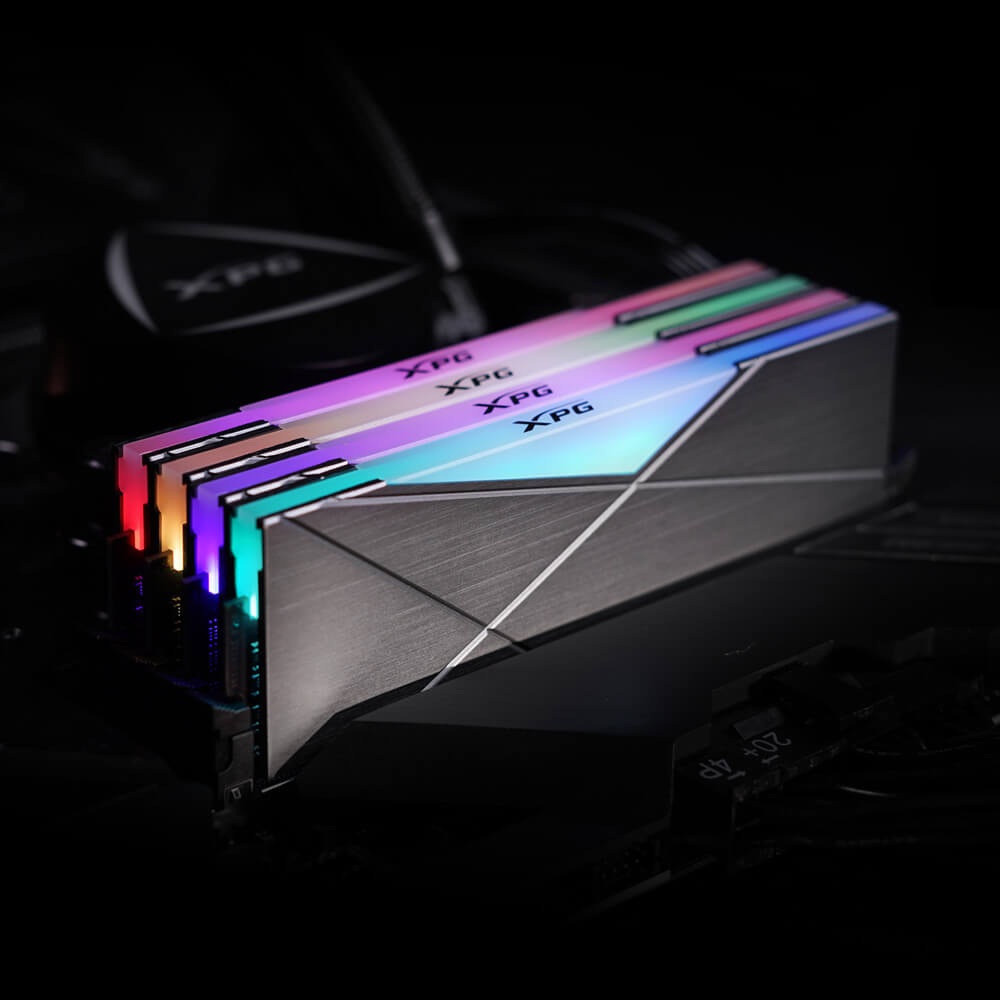
The next component I will be covering is the RAM, or Random Access Memory. I am not going to go into detail about how RAM works, you don't necessarily need to know how just that it does, assuming of course that you install it correctly. Now, RAM can vary alot, I recommend that you go with minimum 16GB of it due to windows bloatware and just to be able to run programs comfortably. you can go up to even 32GB and if you're crazy or just have infinite money 64GB or higher, but that is most definite overkill for your average person. In my opinion 32GB is enough RAM to do basically anything, I only recommend getting more in the case that you are doing heavy video editing in high resolutions. Now RAM can be acquired in many different bundles and prices of these differ quite a bit, you can get 2x8GB or 2x16GB or even singles, RGB is optional. The one thing you need to watch out for is the speed of the RAM. It ranges alot but I would recommend either 3200mhz or 3600mhz because anything slower than that you will notice it slowing down the computer. One thing to watch out for, which is a bit further down the line, after you have successfully assembled your computer and having to install windows, you want to make sure that you turn on XAMP in the BIOS of your computer, otherwise your RAM will be locked at 2666mhz and wont reach the speed of the RAM that you bought.

Now comes the question of storage. This is where everything on your computer is going to be stored, from your operating system to the text file you accidentally create when you press save instead of don't save in Notepad. Again, there is an extremely large variety of storage options available to you ranging from HDD(Hard Drives) to SSD(Solid State Drive) to the new NVMe m.2 SSD. Now, most new motherboards will have an NVMe slot on them assuming you're buying a newer model motherboard, so this is what I would recommend looking into as it is currently the fastest storage devices we have available. Yet again there are a variety of models and speeds for these so you should do a bit of research and find one that is good for you and your budget. You also have the option of having a regular SSD or HDD but these are definitely slower, with HDD being the slowest option. The good thing about HDD is that it is the cheapest option for mass storage in the case that you are making your own NAS but we wont get into that. The choice is yours as the prices range quite a bit, however I would say that having a 250GB SSD and only installing windows onto it would be smart because then your operating system is separated from the rest of your files and can be safely reset without losing anything.
This bring us to the end of my third post. There will be 1 more part about components, covering the remaining things that you need to buy for your computer. Thank you for reading and I hope this has been helpful!


Comments
Post a Comment